E-Visa QR Codes: Printing vs Saving on Your Mobile Device
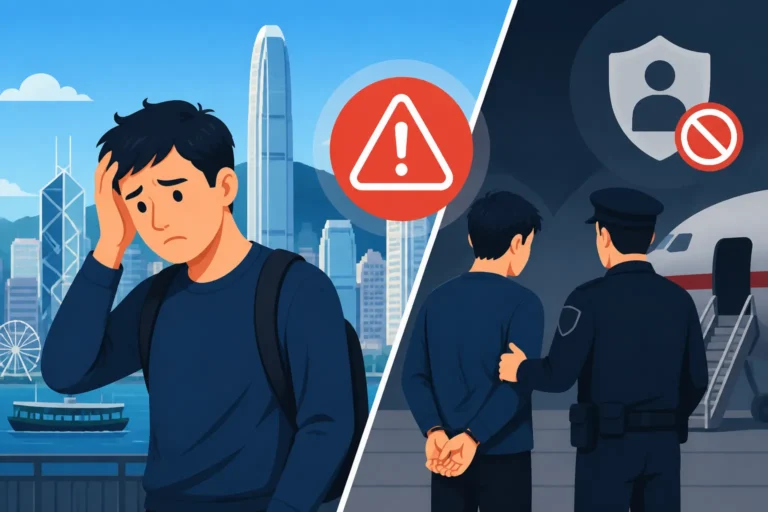
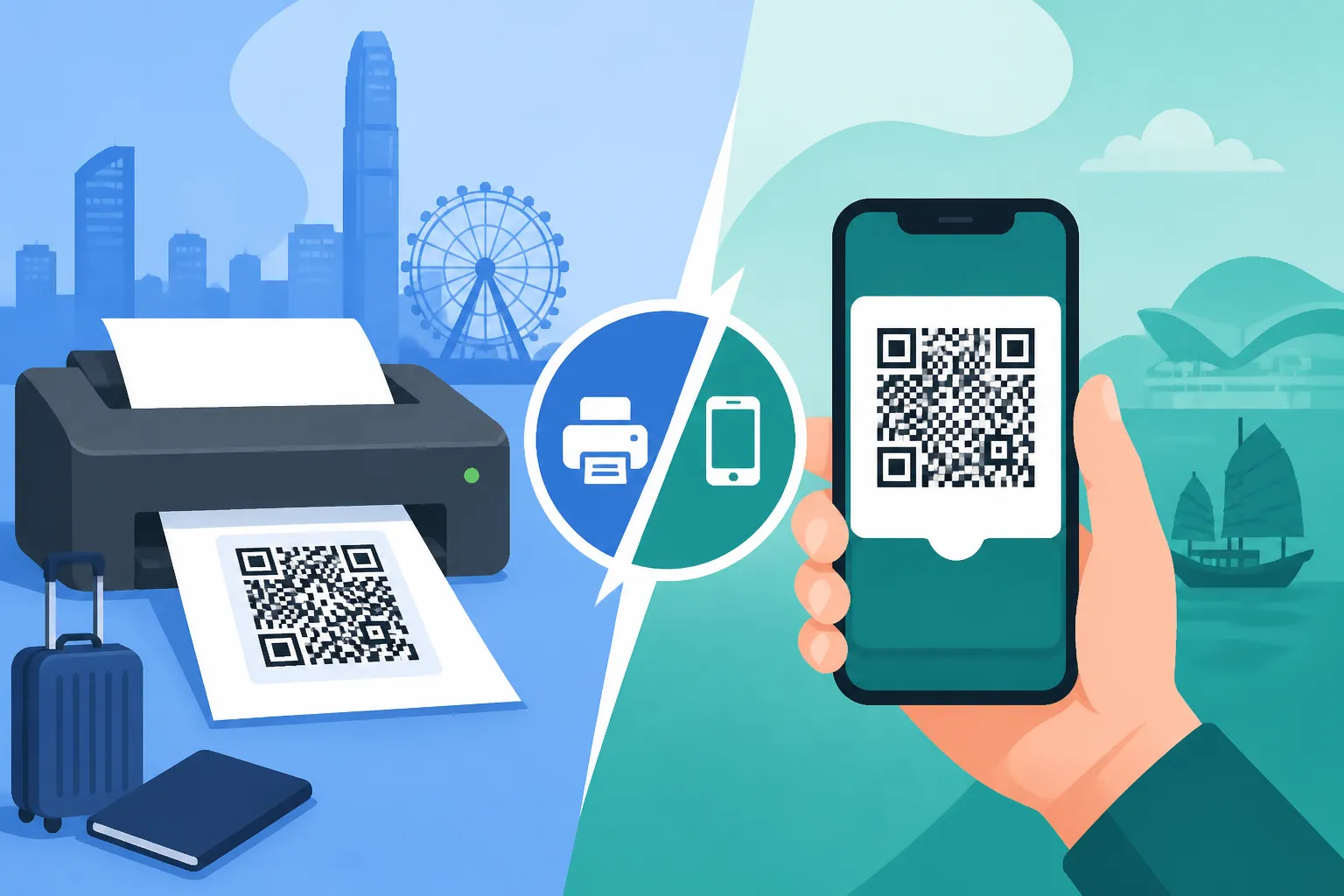
The moment your Hong Kong e-Visa gets approved is a huge relief, but then comes the critical question: what exactly do you do with that QR code? Do you print it out like it's a golden ticket, or is a quick screenshot on your phone enough for the notoriously efficient (and sometimes intimidating) Hong Kong immigration officers? This guide is here to walk you through the pros and cons of both approaches, drawing on years of navigating these very processes, so you can breeze through arrival with confidence.
Understanding Hong Kong's E-Visa System
Gone are the days of sticky visa labels adorning your passport pages, or at least, they're becoming increasingly rare for many visa categories in Hong Kong. The Immigration Department has embraced digital efficiency, and for many applicants, the e-Visa is now the standard. But while it streamlines the application process from afar, it places the responsibility of presenting the digital document squarely on your shoulders upon arrival.
What is an E-Visa and How it Works in HK?
An e-Visa, in the context of Hong Kong, isn't just an electronic application; it's the digital document itself that grants you permission to enter and stay for a specific purpose (work, study, dependent, etc.). Once your application is approved, you'll typically receive an official notification, often via email, which includes instructions on how to download your e-Visa. This e-Visa is essentially a PDF document, and nestled within it is that all-important QR code. It's crucial to understand that this is your actual visa, not just an approval letter. Without being able to present it, you can't be cleared for entry, no matter how much you swear you got approved. Many new arrivals wonder about the official process for their e-Visa System: Applying, Downloading, and Airport Clearance, and the key takeaway is always the scannable code.
The system is designed for convenience, allowing you to complete your application from anywhere in the world and receive your visa digitally. However, this convenience also means that you become the primary custodian of your entry document. You won't get a physical stamp or sticker until you've passed through the immigration gates and potentially registered for your Hong Kong Identity Cards (HKID). It’s a subtle but significant shift in responsibility that can catch newcomers off guard.
The Importance of Your E-Visa QR Code
Think of your e-Visa QR code as your digital handshake with Hong Kong Immigration. It's the central piece of data that contains all the relevant information about your visa status, validity, and personal details. When you step up to the immigration counter at Hong Kong International Airport (HKIA) or any other port of entry, this QR code is what the officer will scan to quickly retrieve your electronic record. It allows for faster processing and verification, bypassing the need for manual data entry or searching through stacks of paper approvals.
Without a clear, scannable QR code, the immigration officer will have to resort to manual checks, which can significantly delay your entry and potentially raise questions about the authenticity or validity of your document. This is particularly true if you are arriving during peak hours. The system is set up for speed, and anything that slows it down will draw extra scrutiny. The smoother you make this process, the faster you’ll be through, ready to start your adventure in Hong Kong. Remember that the officer needs to confirm that your Travel Documents Required for e-Visa Entry at HKIA match your visa details precisely.
The Case for Printing Your E-Visa QR Code
In a world increasingly reliant on digital tools, there’s a certain old-school comfort (and often, practical wisdom) in having a physical backup. When it comes to your entry documents for Hong Kong, a printed copy of your e-Visa QR code can be a real lifesaver, cutting through potential tech woes and offering a tangible sense of security.
Advantages of a Physical Copy
Let's be realistic: travel days are stressful enough without your phone deciding to throw a tantrum. The biggest advantage of a printed e-Visa QR code is reliability. Batteries die, screens crack, apps crash, and sometimes, for no explicable reason, your phone simply decides not to cooperate when you need it most. Imagine landing after a long-haul flight, exhausted, and then realizing your phone battery is critically low, or worse, your screen has a spiderweb crack making the QR code unreadable. A crisp, printed copy bypasses all these potential electronic failures.
Moreover, a physical copy serves as a tangible document. You can present it clearly and without fumbling. It doesn't rely on Wi-Fi, mobile data, or the perfect screen brightness. Many expats are caught out by unexpected circumstances. One friend arrived at HKIA only to find his phone had developed a software glitch mid-flight, rendering it useless for showing his visa. Thankfully, he had a printed copy. This simple act of foresight can save you immense stress and prevent delays at the immigration counter. It’s also important if you have multiple checks, such as airline check-in (some airlines still prefer to see a physical visa confirmation before you board for Hong Kong) and then again at the actual border.
Practical Tips for Printing
If you're going the physical route, don't just hit print and hope for the best. There are a few things you should consider to make sure your printout is as effective as possible.
Firstly, quality matters. Print your e-Visa on a good quality printer with sufficient ink. The QR code needs to be clear, crisp, and free from smudges or streaks. A blurry or faded QR code is as good as no code at all, as it might not scan properly. Use standard white A4 paper.
Secondly, consider the size and layout. While printing it full-page is fine, ensure the QR code itself is prominent and not too small. Some people even print a dedicated, larger version of just the QR code on a separate page, in addition to the full e-Visa document, just in case. Make sure your passport number and other key identifiers are clearly visible alongside the code. It’s a good idea to keep a couple of copies – one with your passport and main travel documents, and another in your carry-on luggage as a backup. Just like you'd carefully prepare other crucial documents, think about having important personal records translated if needed; services like RushTranslate can be invaluable for ensuring all your paperwork is perfectly understood by authorities.
Finally, secure storage for your printout is key. Keep it folded neatly with your passport, or in a clear plastic sleeve to protect it from moisture or damage during transit. Don't crumple it, spill coffee on it, or let it get wet. It sounds obvious, but you’d be surprised what can happen in the hustle and bustle of travel!
Leveraging Your Mobile Device for E-Visa QR Codes
While the printed copy offers a robust backup, the convenience of digital access is undeniable. For many expats, their smartphone is an extension of their life, and keeping critical documents like an e-Visa on it feels natural and efficient.
Benefits of Digital Storage
The primary benefit of having your e-Visa QR code on your mobile device is convenience. Your phone is almost always with you, making your e-Visa readily accessible at a moment's notice. No rummaging through bags or folders – a few taps and there it is. This can be particularly useful for those who travel frequently or need to present their visa details at various points, such as during employer onboarding or when registering for other services post-arrival.
Accessibility is another huge plus. You can save the e-Visa PDF in multiple places on your phone: your photos, files app, or even a dedicated travel app. Cloud storage options like Google Drive or Dropbox also mean you can access it from any device with an internet connection, providing another layer of backup that doesn't rely on physical paper. Plus, for those mindful of their environmental footprint, going digital reduces paper waste. It aligns with Hong Kong’s broader push for digital services, including for things like using the HA Go App for Booking Public Outpatient Clinics or even the HKeToll system.
Best Practices for Mobile Storage
If you're primarily relying on your phone, you need to be smart about how you store and manage your e-Visa.
First, take multiple screenshots of the QR code page, and save the entire e-Visa PDF document itself. Store these in a dedicated album or folder on your phone, making them easy to find quickly. Don't bury it among hundreds of holiday photos!
Second, upload the PDF to a cloud service like Google Drive, iCloud, or OneDrive. This way, if you lose your phone or it becomes unusable, you can still access the document from another device, or even from an internet cafe if absolutely necessary. Ensure you have offline access enabled for these files, so you're not scrambling for Wi-Fi at the airport.
Third, and perhaps most importantly, manage your battery life. Keep your phone charged, especially during your journey and upon arrival. Carry a portable power bank (a "power brick") with you. Many airports, including HKIA, have charging stations, but you don't want to rely solely on finding one in an emergency.
Finally, consider security. Password-protect your phone and any sensitive folders where you store your e-Visa. While the document itself isn't a huge security risk, it's good practice to keep all your personal information secure. For additional peace of mind on your travels, especially concerning unforeseen disruptions, many expats opt for comprehensive coverage from providers like SafetyWing, ensuring they're covered no matter what digital or physical mishap occurs.
Potential Pitfalls of Relying Solely on Your Phone
While convenient, going all-digital carries inherent risks. The most obvious is technical glitches. Phones freeze, apps crash, or sometimes, the screen glare in a brightly lit immigration hall makes the QR code unreadable for the scanner. These small, unforeseen issues can turn a smooth entry into a frustrating ordeal.
Then there's the risk of loss or theft. Hong Kong is generally safe, but travel hubs are always targets for opportunistic thieves. Losing your phone means losing your e-Visa. While you could theoretically access it from the cloud on another device, doing so in a busy airport with limited connectivity, especially if you're frazzled, is not ideal. Moreover, a lost phone also means losing access to other critical information, like contact details for your accommodation or local emergency numbers. Planning for your first few days often involves immediate needs, so having an Essential Health Checklist for Your First 30 Days in Hong Kong is also key.
It's a stark reminder that while technology is a fantastic enabler, it also introduces points of failure. For documents as critical as your entry visa, redundancy is your best friend.
What Immigration Officers Expect (and What to Avoid)
Navigating Hong Kong Immigration can be a smooth, efficient experience, but a lot of that hinges on how prepared you are. They process millions of visitors and residents annually, and anything that deviates from the norm can cause delays.
Smooth Clearance: Presenting Your QR Code Effectively
Immigration officers are highly trained to be efficient. What they expect is a clear, easily scannable e-Visa QR code presented without fuss. When it's your turn at the counter, have your passport open to the photo page and your e-Visa (either printed or on your phone) ready to display immediately.
If using your phone, ensure the screen is clean, bright, and not cracked, and that the QR code is prominently displayed. A quick tip: zoom in slightly on the QR code if needed, but not so much that it distorts the image. Make sure no other apps or notifications are obscuring the code. The goal is to make it as effortless as possible for the officer to scan your document. A polite "Good morning/afternoon" and being ready with your documents goes a long way. This is particularly true if you intend to enroll for E-Channel Enrollment for Faster Immigration Clearance later, as a good first impression helps.
Common Issues and How to Troubleshoot On the Spot
Even with the best preparation, things can go awry.
If your phone isn't cooperating: The first thing to do is calmly explain the situation to the officer. If you have a printed backup, present it immediately. If not, calmly state that you have the e-Visa saved to cloud storage and ask if you can access it via airport Wi-Fi (if available) or another device. Keep a hard copy of your visa application reference number and your passport details written down separately. This allows the officer to manually retrieve your records if needed, though it will take longer.
If your printout is lost or damaged: Again, calm communication is key. If you have your e-Visa on your phone, present that. If both are compromised, the situation becomes more challenging. This is where your visa application number and a clear explanation of your circumstances become vital. The immigration officer might direct you to a separate counter for further verification, which will involve more waiting. Learning about What Happens at the Immigration Counter Upon First Arrival? can help manage expectations.
Language barrier: While most Hong Kong immigration officers speak excellent English, there might be situations where you struggle to explain an issue. Have your visa details and any important notes written in both English and traditional Chinese if you anticipate such a need. For any official documents that aren't already in English, remember services like RushTranslate for certified translations; it’s always better to be over-prepared than under-prepared when dealing with immigration.
Ultimately, the best strategy is redundancy. Having both a clear printed copy and easy access to a digital version on your phone (and ideally, in the cloud) provides the strongest safety net.
Key Considerations for E-Visa Management
Navigating the administrative side of being an expat in Hong Kong, from visas to settling in, always involves layers of planning. Your e-Visa is just the first step in a long journey.
The convenience of the e-Visa is truly a marvel of modern bureaucracy, but as with any technology, it demands careful management from your end. Think of it as a crucial piece of your digital toolkit for Hong Kong. You wouldn't go hiking in the New Territories without a fully charged phone and a backup power bank, so why treat your entry document with less care?
Beyond your initial arrival, remember that your e-Visa and associated documents are critical for other processes. You'll need it for your HKID registration – specifically, for Booking an Appointment for HKID Registration at ImmD Offices. Later, when you're contemplating Relocating Away from HK: Canceling Visas and Notifying ImmD, you'll also need to refer back to your original visa details.
Another vital aspect for anyone moving to Hong Kong, especially with family, is considering all aspects of their immigration journey. For those bringing pets, Pet-Journey offers specialized services to help navigate the complex AFCD regulations and import permits, ensuring a smooth transition for your beloved animals. Just as you meticulously plan their journey, extend that same thoroughness to your own essential documents.
| Feature | Printed E-Visa QR Code | Mobile E-Visa QR Code |
|---|---|---|
| Reliability | High (independent of device power/functionality) | Moderate (dependent on device power, function, screen integrity) |
| Accessibility | Requires physical retrieval from bag/wallet | Quick digital access (if phone is functional) |
| Durability | Susceptible to damage (tears, spills) if not protected | Susceptible to device damage (cracked screen, water damage) |
| Backup Potential | Easy to make multiple physical copies | Easy to save to cloud, screenshots, or multiple apps |
| Immigration Scan | Generally smooth if clear and crisp | Smooth if screen is bright, clean, and not reflective |
| Battery Dependency | None | High (requires charged battery) |
| Environmental Impact | Uses paper | Paperless |
| Security Risk | Low (physical document) | Moderate (if phone is lost/stolen and unlocked) |
| Best Practice | Keep a clean, high-quality print in a secure folder | Save PDF, multiple screenshots, use cloud backup, carry power bank |
Being prepared means anticipating what could go wrong and having a plan B (and C!). While the digital age offers incredible conveniences, it also means we need to adapt our personal strategies to minimize risks. So, yes, use your mobile device for quick access, but please, do yourself a huge favour and print out that e-Visa QR code. Your future self, standing at the immigration counter after a 12-hour flight, will thank you for it.
Disclaimer
The information provided in this article is for general informational purposes only and does not constitute legal or immigration advice. While we strive to keep the information up-to-date and correct, Hong Kong immigration policies and procedures can change without prior notice. Always consult the official Hong Kong Immigration Department website or seek professional legal/immigration advice for your specific situation.