Immigration Clearance: Using the “Contactless e-Channel”
Stepping off a long-haul flight at Hong Kong International Airport only to face a massive, slow-moving queue at immigration is a rite of passage every expat wishes to skip. This guide explains how to master the Contactless e-Channel, a biometric system that allows you to breeze through checkpoints using only your smartphone and facial recognition, effectively ending the era of fumbling for your physical HKID card.
Understanding the Shift to Contactless Immigration
The landscape of Hong Kong’s borders has undergone a massive digital transformation over the last few years. If you have lived here for a decade, you remember the days of physically inserting your smart ID card into a yellow-lit slot, waiting for the gate to chomp down on it, and then pressing a thumbprint that never seemed to register on the first try if your hands were too dry. The move toward a contactless system wasn't just a response to global health concerns; it was a calculated move by the Immigration Department to make the city one of the most technologically advanced hubs for international travel.
The Evolution of HK Immigration Technology
Hong Kong has always been a pioneer in automated passenger clearance. The original e-Channel system, launched in the early 2000s, was revolutionary at the time. It utilized the embedded chip in the Hong Kong Identity Cards (HKID): Registration and Smart IDs to verify identity. However, as the volume of travelers increased, the mechanical wear and tear on the card readers and the friction of physical contact became a bottleneck.
The Contactless e-Channel, introduced officially around 2021 and expanded significantly into 2026, removes the physical card from the equation entirely. By leveraging the power of the "iAM Smart" platform and the ImmD (Immigration Department) mobile app, your identity is verified through an encrypted QR code and high-resolution facial recognition. This transition mirrors the city's broader push toward a "Smart City" blueprint, where your smartphone becomes the primary key for all government interactions. For many of us who have lived through the administrative hurdles of Hong Kong Visas and Immigration: The Complete 2027 Guide, this update is a welcome relief from the "paperwork and plastic" era.
How Facial Recognition Replaced Fingerprints
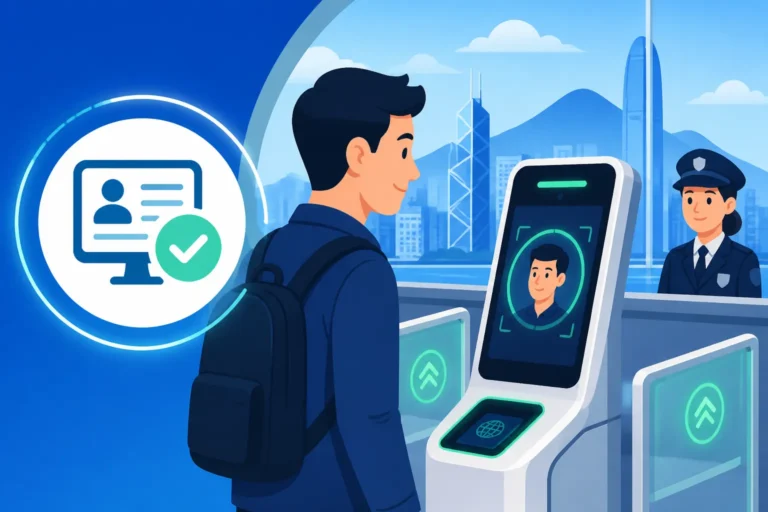
For a long time, the fingerprint scanner was the gold standard. But anyone who has lived through a humid Hong Kong summer knows that "sticky" or "sweaty" fingers are the enemy of the e-Channel. The current system utilizes advanced biometric mapping that captures unique facial features in real-time. When you stand in front of the camera, the system isn't just taking a photo; it is comparing live data against the biometric template stored when you first registered your smart ID or submitted your e-Visa System: Applying, Downloading, and Airport Clearance documents.
The technology is sophisticated enough to account for minor changes, such as new glasses or a different hairstyle. However, it is always a good idea to ensure you aren't wearing a heavy hat or a mask when approaching the gate. This shift has significantly reduced the average clearance time per person to approximately seven seconds. For expats who travel weekly for business to Singapore or London, those saved seconds add up to a much more relaxed airport experience.
Eligibility Requirements for the Contactless e-Channel
One of the biggest frustrations foreigners face in Hong Kong is the "Eligibility Trap." You see a shiny new service, but you aren't sure if your specific visa status allows you to use it. The good news is that the Contactless e-Channel is surprisingly inclusive, provided you have gone through the initial steps of local registration. It is not just for permanent residents; it is accessible to almost anyone holding a valid, chip-integrated smart ID card.
HKID Holders and Residents
If you are an expat on a GEP, TTPS, or a dependent visa, you are eligible as soon as you have your physical smart ID card in hand. The system is designed to link your identity to your mobile device once you have completed a one-time registration. This is particularly useful for those who are in the middle of their Right of Abode (Permanent Residency): The 7-Year Journey. You don't need to wait until you are a permanent resident to enjoy the speed of the e-Channel.
However, there is a catch: you must be aged 11 or above. Children under 11, even if they have a specialized HKID for travel purposes, usually still need to use the manned counters or specific family lanes. If you are navigating the airport with kids, you might find that the "contactless" dream is temporarily on hold until they reach that magic age. If you are also managing travel with family pets, you’ll likely be spending time at the AFCD counters anyway, so checking Bringing Pets to HK: AFCD Quarantine Groups and Import Permits is a must for a holistic view of your arrival logistics.
Frequent Visitors and Non-Residents
A common misconception is that you must have a Hong Kong ID to use automated gates. While the "Contactless" mobile app version is primarily geared toward HKID holders, there is a parallel track for frequent visitors. If you have a valid travel document and have successfully enrolled in the E-Channels for Frequent Visitors Without a HKID program, you can still use automated clearance.
For these visitors, the process usually involves using their passport at the gate rather than a QR code on a phone. However, the Immigration Department has been rolling out pilot programs for non-residents to use the encrypted QR code system if they have pre-registered their biometric data at an enrollment kiosk. This is a game-changer for digital nomads or regional consultants who don't have a local ID but spend more time at the Hong Kong airport than in their own living rooms.
Step-by-Step Setup: From App to Gate
To use the Contactless e-Channel, you cannot simply show up and hope for the best. There is a digital "handshake" that needs to happen between your phone, your identity documents, and the Immigration Department's servers. This is where many people get stuck, particularly if they are not tech-savvy or if their phone’s security settings are overly restrictive.
Downloading and Enrolling in the ImmD Mobile App
Your first step is downloading the official "Hong Kong Immigration Department" mobile app from the Apple App Store, Google Play, or Huawei AppGallery. Once installed, you will see an option for "Contactless e-Channel." Here is where you need to be careful: the app will ask you to register using your HKID.
If you already have the "iAM Smart" app (which I highly recommend for any expat living in HK), the process is much faster. The ImmD app will redirect you to iAM Smart to verify your identity using the biometrics already stored on your phone (FaceID or TouchID). This creates a secure link. If you are working with sensitive documents for your visa renewal, perhaps translated via RushTranslate, keeping your digital identity synced across these platforms ensures that your records are always up to date. Once the link is established, the app will allow you to generate a "Contactless e-Channel QR Code." This code is refreshed every 30 seconds for security reasons, so don't bother taking a screenshot of it to use later—it won't work.
Physical Enrollment at Kiosks
What if the app refuses to cooperate? It happens. Sometimes the chip in your ID card is temperamental, or your phone’s NFC reader is failing. In these cases, you need to visit a physical enrollment kiosk. These are located at most major control points, including the airport, the Hong Kong-Zhuhai-Macao Bridge, and the Shenzhen Bay port.
At the kiosk, you insert your HKID card, scan your fingerprint one last time for verification, and then the system will give you a prompt to enable the contactless service on your mobile device. It is a five-minute process that saves hours of queuing in the long run. Even if you are a tourist just visiting, it is worth checking if you can enroll at the airport's arrival hall so that your departure—and all future visits—are seamless.
Managing Device Transitions
One pain point many expats face is what happens when they get a new iPhone or Android device. Because the "Contactless" token is tied to the security hardware of your specific phone, you cannot simply "cloud restore" the settings to a new device and expect it to work. You will have to re-enroll on the new phone.
This often involves de-registering the old device within the app or using the "iAM Smart" app to re-authorize the new hardware. It is common to see many people stuck at the gate because they upgraded their phone the day before a flight and forgot this step. Always do a "test" open of the app while you still have a data connection at home before heading to the airport.
Navigating the Physical Gate Experience
Actually using the gate is where the magic happens, but it can be intimidating the first time you do it. You are standing there with your luggage, a phone in one hand, and people behind you huffing and puffing. Knowing exactly where to look and where to scan is key to a smooth "pro-level" transit.
Generating and Scanning the QR Code
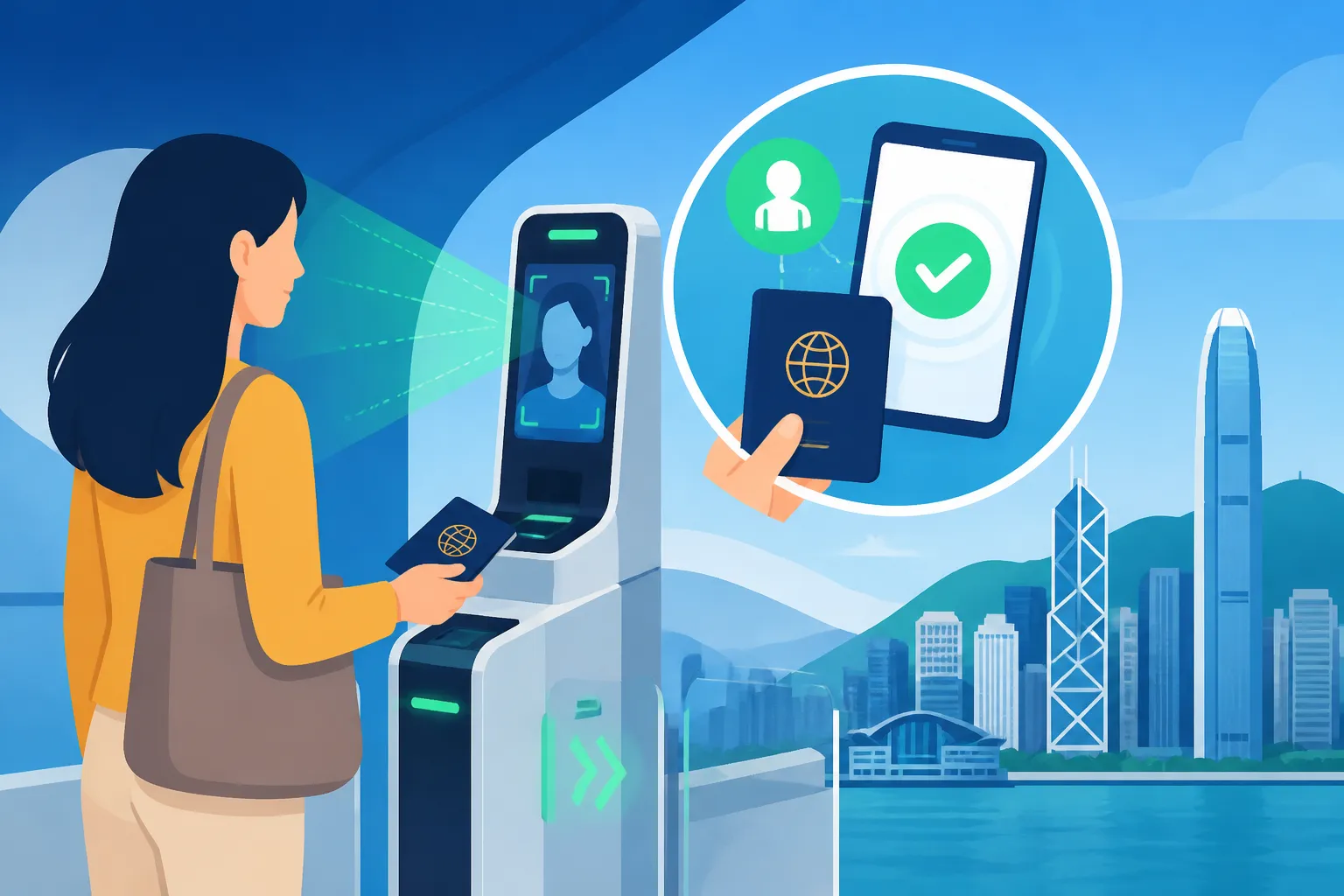
As you approach the e-Channel area, open your ImmD app and navigate to the Contactless e-Channel section. You will likely need to use your phone's FaceID to see the QR code. Once the code appears, you don't scan it at the traditional card slot. Instead, look for a glass-topped scanner, usually located to the right or just above where the old card reader was.
Hold your phone screen about 5 to 10 centimeters away from the glass. Don't press the phone against the glass; the reflection often prevents the laser from reading the code. Once the scanner "beeps" or the light turns green, the first gate will open. Step into the booth and look at the camera.
The Facial Recognition Booth
Once inside the booth, you need to stand on the marked footprints. This is the most common point of failure. If you stand too far forward or too far back, the focal length of the camera won't be able to map your face correctly. Look directly at the screen or the camera lens, which is usually surrounded by a ring of light.
Keep your expression neutral. You don't need to smile (immigration officers aren't known for their sense of humor anyway), but you do need to remove your sunglasses. If you are wearing a hat, tip it back or take it off. If the system fails to recognize you after two tries, a light will flash, and an officer will usually come over to assist or direct you to a manual counter. Don't panic; this doesn't mean your visa is invalid. It usually just means the lighting was off or you have a particularly aggressive new beard.
Troubleshooting and Technical Glitches
The most frequent issue people encounter is a "dead zone" for data. The airport and land borders are notorious for spotty 5G in certain corners. While the QR code is generated locally on your phone, the app needs a heartbeat of data to verify the timestamp.
If you find yourself with no signal, try connecting to the "HK Airport Free WiFi." Another tip: make sure your screen brightness is turned up. If you use a "privacy" screen protector that narrows the viewing angle, the scanner might struggle to read the QR code. You may need to tilt the phone slightly or remove the protector if it’s a recurring issue. If you’re a frequent traveler, having a reliable insurance plan like SafetyWing provides peace of mind if a technical glitch ever leads to a missed connection or a required overnight stay.
| Feature | Physical e-Channel | Contactless e-Channel | Manual Counter |
|---|---|---|---|
| Required Item | Physical HKID Card | Smartphone + App | Passport / Visa |
| Verification | Fingerprint | Facial Recognition | Officer Review |
| Avg. Speed | 12-20 Seconds | 7-10 Seconds | 2-5 Minutes |
| Hygiene | Low (Touch Screen/Sensor) | High (No Touch) | Moderate |
| Eligibility | HKID/Enrolled Visitors | Registered HKID Holders | All Travelers |
Security and Privacy: Is Your Data Safe?
In an era of increasing digital surveillance, many expats are understandably wary about handing over facial biometric data to a government database. However, the Hong Kong Immigration Department has gone to great lengths to emphasize the security protocols surrounding the Contactless e-Channel.
Data Encryption and the "iAM Smart" Framework
The QR code generated by your app is not a simple link to your name and address. It is a one-time, time-sensitive encrypted token. Even if someone were to take a photo of your screen, they couldn't use it 60 seconds later. The backend of the system is built on the same architecture as the "iAM Smart" platform, which adheres to high international standards for data protection.
Your biometric data is not "stored" in the cloud in the way a social media photo is. Instead, it is converted into a mathematical "hash" or template. When you stand at the gate, the system compares the live hash of your face to the stored hash on record. If the math matches, the gate opens. This means that even in the unlikely event of a data breach, a hacker would find a list of numbers rather than a gallery of faces.
Privacy Rights and Options
If you are deeply uncomfortable with facial recognition, you are not forced to use it. The traditional e-Channel (using your physical card and fingerprint) and the manual counters remain fully operational. Using the contactless system is a choice of convenience over traditional methods.
For those navigating complex family situations, such as Proving Relationship for Dependent Visas: Marriage Certificates and Translations, your privacy is already a high priority for the department. The biometric data used for the e-Channel is kept separate from your general visa application files in terms of accessibility, though it is all linked to your unique HKID number in the master database.
Integrating Contactless Travel into Your Expat Life
Once you have mastered the e-Channel at the airport, you’ll realize it works at the land borders too. For many of us, weekend trips to Shenzhen or Macau are a standard part of Hong Kong life. The "Ding" of the e-Channel gate opening is the sound of your weekend officially beginning.
Crossing to Mainland China and Macau
The Contactless e-Channel is available at the High-Speed Rail (West Kowloon) station, the Macao Ferry Terminal, and all major land crossings like Lo Wu and Lok Ma Chau. However, keep in mind that this only gets you out of Hong Kong or into Hong Kong.
When you arrive at the China side (Shenzhen), you will still need to use the Mainland's immigration systems. This usually involves a separate fingerprint and facial scan if you have a "Home Return Permit" or a Chinese visa. If you are traveling to Macau, you can use their version of the e-Channel if you have pre-registered your HKID with the Macau authorities. It’s a bit of a "digital wallet" of identities you have to manage, but once it’s set up, you can travel from your front door in Mid-Levels to a restaurant in Macau in under an hour without ever speaking to an immigration officer.
The Role of Documentation in a Digital World
Even with all this tech, never travel without your physical HKID. The law in Hong Kong requires you to carry your ID at all times. Furthermore, if the electronic systems fail or if you are stopped by police for a random check, the "app" is not always accepted as a legal substitute for the physical card.
For those who are just arriving and waiting for their first ID, you’ll be using the manual counters for a few weeks. During this transition, ensure your paperwork is flawless. If you’ve moved from a non-English speaking country, having your documents handled by RushTranslate can prevent delays at the counter before you’re even eligible for the e-Channel. Once you’re in the system, though, the 7-second clearance becomes the new normal.
Practical Tips for the Frequent Traveler
After hundreds of transits through HKIA and the various land borders, I’ve picked up a few "pro-tips" that the official manuals don't tell you. These are the small things that make the difference between a smooth exit and an awkward standoff with a gate.
- Check your "Stay" Limit: The ImmD app doesn't just give you a QR code; it also shows your current "limit of stay." This is incredibly useful for expats on work visas to ensure they haven't accidentally overstayed.
- Battery Management: It sounds obvious, but a dead phone means the manual queue. Most modern planes have USB ports, but the airport express train also has charging stations. Use them.
- The "iAM Smart+" Upgrade: To use the Contactless e-Channel, you actually need the "iAM Smart+" (plus) version of the app, which requires a one-time identity verification at a post office or a self-service kiosk to enable digital signing and higher-level biometrics.
- Family Coordination: If you are traveling with someone who isn't registered, don't use the e-Channel and then wait for them on the other side. Often, the staff won't let you hang around the immediate exit area for security reasons. It’s better to stick together in the manual queue if one person can’t use the tech.
- Managing the "Landing Slip": In the old days, the e-Channel would spit out a small thermal paper "landing slip" that told you when your visa expired. With the contactless system, you often don't get a physical slip. You can view your electronic landing slip within the ImmD app or the iAM Smart app. I recommend taking a screenshot of this and saving it to a "Travel" album on your phone for easy reference.
As you become more comfortable with the city's digital infrastructure, you might even consider higher-level logistical support. If you are moving a large household or have complex relocation needs, Pet-Journey can help with the animal side of things, while companies like SafetyWing ensure that your health coverage follows you across all these borders you’re now zipping through so quickly.
Disclaimer
The information provided in this guide is for general informational purposes only and does not constitute legal or professional immigration advice. Immigration policies, eligibility criteria, and technical requirements for the Contactless e-Channel are subject to change by the Hong Kong Immigration Department without notice. Always check the official GovHK website or the Immigration Department portal for the most current regulations and system updates before traveling.