Registering for HKeToll: Navigating HK’s Cashless Tunnels
Navigating Hong Kong's roads can be quite the adventure, but the introduction of HKeToll has brought a significant change to how we pay for tunnel crossings, moving from manual booths to a fully electronic system. For many expats, this cashless transition can feel like another layer of administrative complexity in an already dense city, leading to confusion and the fear of unexpected fines. This comprehensive guide aims to demystify the HKeToll registration and usage, ensuring you glide through Hong Kong's tunnels with ease and avoid any unwelcome surprises.
Why HKeToll? Understanding the Shift to Cashless Tunnels
If you've been in Hong Kong for a while, you'll remember the days of fumbling for change at the toll booths, especially when driving through the Cross-Harbour Tunnel or the Eastern Harbour Tunnel. It was a chaotic dance of slowing down, finding the right coins, and then speeding up, all while juggling the dense traffic. The government's move to HKeToll was a long-awaited upgrade, designed to streamline traffic flow, reduce congestion, and bring Hong Kong's road infrastructure into the 21st century. It's a system that, once you get the hang of it, truly simplifies urban driving.
The End of Manual Toll Booths
The old system, while quaint to some, was undeniably inefficient. Imagine the peak hour crush: cars queuing up for specific cash lanes, creating bottlenecks and unnecessary idling. It wasn't just about the time wasted; it was also about the environmental impact of all those idling engines. The move to HKeToll eliminated these physical toll booths entirely. Now, as you approach a tunnel, you'll notice overhead gantries equipped with cameras and sensors. These automatically detect your vehicle's tag and process the toll, all without you having to stop or even slow down. It’s a huge leap forward, even if the initial setup feels a bit like deciphering an ancient scroll.
Key Benefits for Drivers
Beyond just smoother traffic, HKeToll offers several tangible benefits for us drivers. Firstly, the sheer convenience is unparalleled. No more worrying about having enough small change or scrambling for your Octopus card when approaching a tunnel. The system is designed for a seamless, "free-flow" experience, meaning less stress and a more predictable commute. This can be especially relieving if you're frequently driving across different districts or even heading out for a weekend escape to the New Territories or the scenic Southside. Secondly, the reduction in traffic jams at tunnel entrances is a game-changer. Those frustrating queues that used to snake back for kilometers are largely a thing of the past, saving precious time and fuel. It makes exploring Hong Kong by car, whether for work or leisure, a far more pleasant experience.
Getting Started: Essential Steps for HKeToll Registration
Registering for HKeToll might seem like another item on your ever-growing Hong Kong to-do list, but it's a relatively straightforward process once you have all your ducks in a row. Think of it like setting up your utilities or applying for an HKID – a necessary step for life here. The official HKeToll website and mobile app are your primary tools for this, and they've been designed with multiple language options, which is a blessing.
Required Documents and Information
Before you even log onto the HKeToll portal, gather these crucial pieces of information. Being prepared will save you headaches and multiple trips to various documents:
- Vehicle Registration Mark (License Plate Number): This is obvious, but double-check you have the correct format.
- Vehicle Registration Document (VRD): You'll need details like the vehicle class, chassis number, and registered owner. Make sure your name on the VRD matches your identification.
- Hong Kong Identity Card (HKID) or Passport: For identification purposes as the registered owner. If your vehicle is registered under a company, you'll need the company's Business Registration Certificate.
- Contact Information: A valid Hong Kong mobile number and email address are essential for account verification and receiving notifications.
- Payment Method: A credit card (Visa, MasterCard, UnionPay, American Express) or a bank account for direct debit (FPS) is needed. Setting up auto-top-up is highly recommended to avoid accidental unpaid tolls.
Accuracy is paramount here. Any discrepancies between your registration documents and the information you input could lead to delays or rejection.
Choosing Your Tag Type
HKeToll offers two main types of vehicle tags:
- Vehicle Tag (Windshield Tag): This is a small, rectangular electronic tag that you affix to the inside of your car's windshield. It's the most common and generally recommended option as it's designed for optimal detection by the gantries.
- Headlamp Tag: This tag is affixed to one of your vehicle's headlamps. It's generally used for vehicles where a windshield tag might interfere with other systems or visibility, or for motorcycles.
Both tags serve the same function, which is to allow the HKeToll system to identify your vehicle and charge the correct toll. When choosing, consider the aesthetics and practicality for your specific vehicle. For most private cars, the windshield tag is the go-to. If you're unsure, the HKeToll customer service centers can offer guidance.
Online Registration Process Walkthrough
The process is fairly intuitive, but let's break it down step-by-step:
- Visit the HKeToll Website or Download the App: Head to the official HKeToll portal or search for "HKeToll" on your app store.
- Create an Account: You'll typically register with your HKID or passport number and set up a password. This is your user account, which can manage multiple vehicles if you own more than one.
- Add Your Vehicle: Select "Add Vehicle" and input your vehicle registration mark.
- Upload Documents: You'll be prompted to upload clear photos or scans of your Vehicle Registration Document and your HKID/Passport. Ensure all details are legible.
- Choose Tag Type and Delivery Method: Select either a windshield or headlamp tag. You can choose to have it mailed to your registered address or pick it up at a customer service center.
- Set Up Payment Method: Link your preferred credit card or bank account. This is where you'll decide on an auto-top-up threshold, which is crucial for continuous, hassle-free use.
- Review and Confirm: Double-check all the information before submitting. Any errors here could lead to issues down the line.
- Verification: The system will review your application. You'll receive email or SMS updates on its status. This usually takes a few working days.
It’s worth noting that sometimes the system can be a bit finicky with image uploads, so ensure your files aren't too large or too small, and that the lighting is good. Patience is a virtue here, just like with many other administrative tasks in Hong Kong.
Activating Your HKeToll Account and Tag
So you’ve registered, you’ve waited, and now your HKeToll tag has arrived! Or perhaps your application has been approved and you're ready to pick it up. This next phase is all about getting everything physically set up and ensuring your payment systems are humming along smoothly. This is where the rubber meets the road, quite literally.
Receiving and Installing Your Vehicle Tag
Once your application is approved, the HKeToll tag will either be mailed to your registered address or be ready for collection, depending on your choice during registration. When it arrives, you’ll typically find the tag itself, along with detailed installation instructions and perhaps some cleaning wipes.
For a windshield tag, the general process involves:
- Cleaning the Area: Choose a spot on the inside of your windshield, usually near the rearview mirror, that won't obstruct your view. Clean it thoroughly with the provided wipe (or rubbing alcohol) to ensure it's free of dust and grease. This is critical for good adhesion.
- Peeling and Sticking: Carefully peel off the adhesive backing from the tag. Align it properly and firmly press it onto the designated spot on your windshield. Avoid repositioning it, as this can weaken the adhesive.
- Orientation: Ensure the tag is oriented correctly, usually with a specific side facing upwards or outwards. The instructions will clearly indicate this.
For a headlamp tag, the installation is slightly different and usually involves affixing it to the headlamp itself. It's generally more robust for external exposure.
Common Installation Mistakes to Avoid:
- Obstructed View: Don't place the tag behind window tinting, wipers, or other accessories that might block the signal.
- Incorrect Orientation: A tag installed upside down or sideways might not be detected.
- Poor Adhesion: A dirty or greasy surface will prevent the tag from sticking properly, leading to it falling off or being misread.
- Interference: Some vehicles have metallic-coated windshields that can block RFID signals. If you suspect this, consult the HKeToll service center or consider the headlamp tag option.
If you struggle with installation, don't hesitate to visit one of the HKeToll customer service centers. They can assist you or verify correct placement.
Linking Payment Methods and Auto-Top-Up
This is perhaps the most critical step to ensure a truly cashless and seamless experience. You don't want to get hit with penalties because your account balance ran low!
The primary payment options are:
- Credit Card: Most major credit cards (Visa, MasterCard, UnionPay, American Express) are accepted.
- Direct Debit via Faster Payment System (FPS): This links directly to your Hong Kong bank account.
Setting up Auto-Top-Up:
This feature automatically recharges your HKeToll account balance when it drops below a predefined threshold (e.g., HK$50). It’s an absolute lifesaver. You set the top-up amount (e.g., HK$200) and the minimum balance trigger. This ensures you always have sufficient funds, eliminating the need for manual top-ups and drastically reducing the risk of unpaid tolls. Imagine cruising through the Lion Rock Tunnel, not having to worry if you have enough balance – that's the peace of mind HKeToll aims to deliver.
If you don't enable auto-top-up, you'll need to manually add funds to your account via the app, website, or at 7-Eleven/Circle K convenience stores. While feasible, it adds an unnecessary layer of administration.
The HKeToll Mobile App: Functionality and Features
The HKeToll mobile app (available on iOS and Android) is your command center for managing your account on the go. It’s an incredibly useful tool, allowing you to:
- Check Your Real-Time Balance: Instantly see how much credit you have.
- View Transaction History: Keep track of all your tunnel crossings, including the tunnel name, time, and toll amount. This is great for budgeting or if you need to reconcile travel expenses for work.
- Manage Payment Methods: Add or update credit cards, adjust auto-top-up settings.
- Receive Notifications: Get alerts for low balance, successful top-ups, or outstanding tolls.
- Add/Remove Vehicles: If you acquire a new car or sell an existing one, you can manage it all through the app.
Familiarizing yourself with the app will make your HKeToll experience much smoother, much like how many expats use the Using the HA Go App for Booking Public Outpatient Clinics for their healthcare needs.
Navigating HKeToll Enabled Tunnels and Managing Your Account
Once you're registered and your tag is installed, the real beauty of HKeToll comes into play. You simply drive through, and the system handles the rest. But what happens behind the scenes, and how do you ensure everything is working as it should? Let's dive into the practicalities of day-to-day usage.
How HKeToll Works on the Road
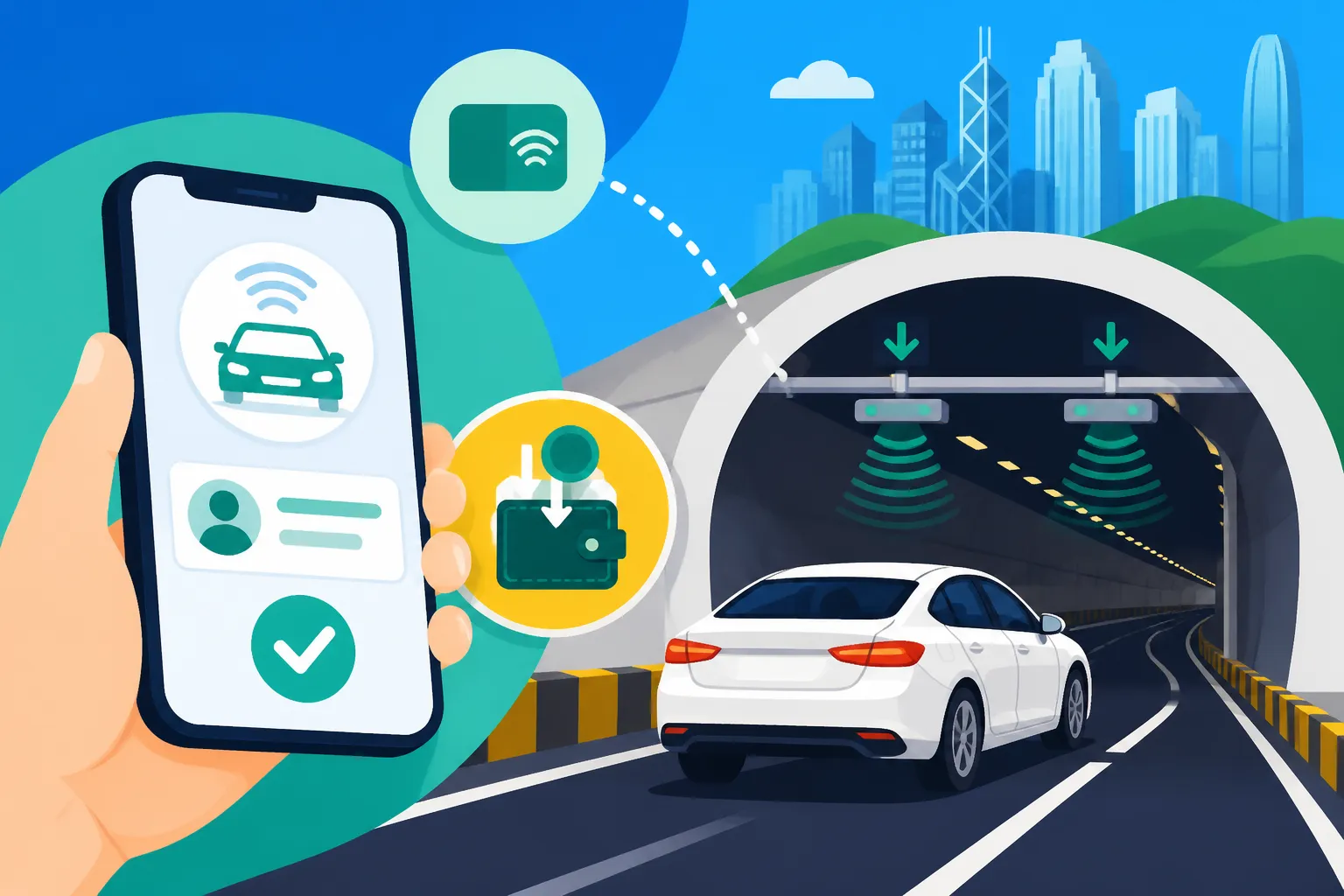
The technology behind HKeToll is surprisingly simple for the driver. As you approach a tunnel, you'll pass under a gantry fitted with sophisticated cameras and RFID (Radio-Frequency Identification) readers.
- Tag Detection: The RFID reader communicates with your vehicle tag, identifying your unique HKeToll account.
- License Plate Recognition (LPR): High-speed cameras capture your license plate. This acts as a backup in case the tag isn't detected or if you're using a toll coupon (e.g., for cross-harbour tunnels before they became fully cashless).
- Toll Deduction: The system automatically deducts the appropriate toll amount from your linked HKeToll account balance.
The entire process happens in milliseconds as you drive at normal speed. There are no barriers, no slowdowns, just a seamless transition. If for some reason your tag isn't detected, the LPR system will still identify your vehicle, and the toll will be charged to your account. If you don't have a tag or an active account, the system will record your passage, and an outstanding toll notice will be issued. It's a robust system, but it relies on your account being in good standing.
Checking Your Transactions and Statements
Even with auto-top-up, it’s good practice to periodically check your HKeToll activity. This helps you:
- Monitor Spending: Understand your driving costs, especially if you have a varied commute.
- Verify Accuracy: Ensure all charges are correct and correspond to your actual tunnel usage.
- Prevent Issues: Spot any unusual activity or potential problems with your tag or account early.
You can easily access your transaction history through the HKeToll website or the mobile app. The statements typically show the date, time, tunnel name, and the amount charged. For businesses or individuals tracking expenses, this detailed breakdown is invaluable. Just like keeping an eye on your monthly Budgeting for Utilities: Electricity, Water, and Gas Costs, regular HKeToll checks are part of responsible financial management in Hong Kong.
Dealing with Outstanding Tolls and Penalties
This is probably the biggest concern for new HKeToll users and seasoned expats alike: what happens if you forget to top up, or your tag malfunctions?
- Grace Period: If your account has insufficient funds or your tag isn't detected for a charge, you'll typically have a grace period (usually a few business days) to settle the outstanding toll. You'll receive an SMS or email notification.
- How to Pay Outstanding Tolls: You can easily pay through the HKeToll app or website using your registered payment method, or by using cash/Octopus at any 7-Eleven or Circle K convenience store.
- Penalties for Unpaid Tolls: Ignoring an outstanding toll notice is where things get serious. After the grace period, an administrative fee will be added to the original toll. If still unpaid, the penalty escalates, and the Transport Department may take enforcement action, which could include hefty fines or even denial of your vehicle license renewal.
It's far easier and cheaper to address any outstanding tolls immediately. The HKeToll system is designed to notify you promptly, so always keep an eye on your notifications.
Common HKeToll Questions and Troubleshooting for Expats
As expats, we often encounter unique situations or have specific questions that might not be covered in the general FAQs. Let's tackle some of those common expat-specific HKeToll queries.
What if I'm Driving a Rented Car or Company Car?
This is a very common scenario for expats, especially when first arriving or for business travel.
- Rental Cars: Most reputable car rental companies in Hong Kong, such as Avis or Hertz, will have their vehicles already equipped with HKeToll tags. When you rent a car, clarify their policy on toll payments. Typically, they will either charge the tolls to your rental agreement (often with a small administrative fee) or advise you on how to pay the tolls directly. Some rental companies might even offer a temporary HKeToll pass or account. Always confirm this when you pick up the vehicle to avoid unexpected charges later. If you're staying in a serviced apartment from Blueground or Habyt and using a short-term rental, this is definitely something to confirm upfront.
- Company Cars: If you use a company car, your employer will typically have an HKeToll corporate account for their fleet. The tolls will be charged directly to the company. However, it's always wise to confirm with your HR or fleet manager how tolls are handled and if there's anything you need to do on your end. Sometimes, for personal use, you might need to reimburse the company.
Never assume. A quick query to the rental company or your employer can save you from potential headaches.
My Tag Isn't Working: Common Issues and Solutions
It can be frustrating when you pass through a gantry and don't get a confirmation beep or notification. Here are some common reasons why your HKeToll tag might not be working and what to do:
- Improper Installation: This is the most frequent culprit. The tag might be upside down, covered by tinting, or not properly adhered. Re-check the installation instructions.
- Account Balance Low/Insufficient Funds: Even with auto-top-up, sometimes a payment method might fail or there could be a temporary glitch. Check your HKeToll app for your balance.
- Damaged Tag: Although designed to be robust, physical damage to the tag (e.g., from extreme heat or impact) can render it inoperable.
- Metallic Windshield Coating: Some vehicles, particularly premium models, have metallic or athermic windshields that can block RFID signals. If this is the case, you might need a headlamp tag.
- System Glitch: While rare, technical issues can occur.
Troubleshooting Steps:
- Check App/Website: First, verify your account balance and transaction history on the HKeToll app or website.
- Inspect Tag: Visually inspect your tag for damage and proper placement/orientation.
- Contact HKeToll Customer Service: If everything appears fine on your end, contact the HKeToll hotline or visit a service center. They can diagnose the issue and arrange for a replacement if needed.
Remember, even if your tag isn't working, the LPR system will still detect your vehicle. The key is to ensure your account has funds to cover the tolls to avoid penalties.
What if I Sell My Car or Leave Hong Kong?
Life in Hong Kong often involves transitions, and eventually, you might sell your car or even decide to relocate. It's crucial to handle your HKeToll account properly.
- Selling Your Car:
- Remove the Tag: Physically remove the HKeToll tag from the vehicle. It's tied to your account, not the car itself, in terms of billing.
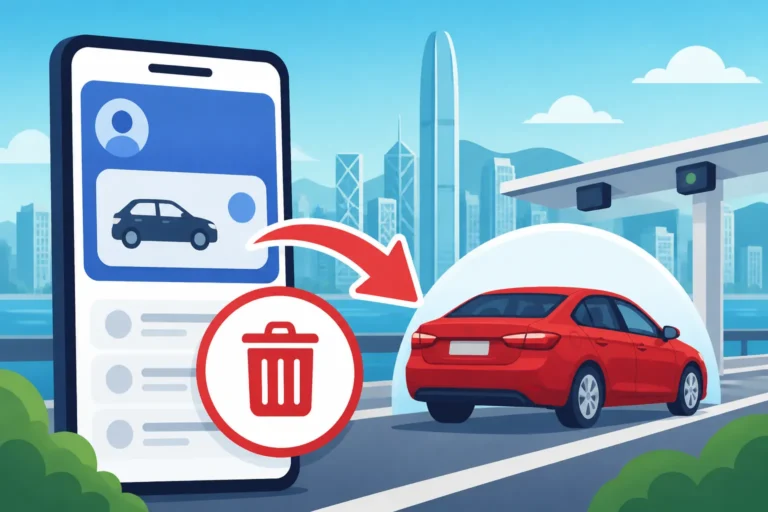
- Deregister the Vehicle: Log into your HKeToll account (website or app) and deregister the sold vehicle from your profile. This prevents any future tolls incurred by the new owner from being charged to your account.
- Transfer of Ownership: If the new owner wishes to use the existing tag (though unlikely as they'll typically get their own), there's a specific transfer process that involves both parties. It's usually simpler for them to just register their own.
- Leaving Hong Kong:
- Deregister All Vehicles: Ensure all vehicles linked to your HKeToll account are deregistered.
- Close Your Account: You can request to close your HKeToll account once all outstanding tolls are settled and vehicles are removed. Any remaining balance will be refunded according to their policy.
- Final Checklist: As you plan your departure, perhaps with assistance from a relocation service like Sirelo, remember to include HKeToll account closure in your Closing Your HK Bank Account and Phone Plan When Relocating checklist. This ensures a clean break and avoids any lingering issues after you've left.
It’s always best to tie up all loose ends before your final departure.
HKeToll Services and Support
While the HKeToll system is designed for self-service, there are times when you'll need direct assistance. Knowing where to find support is crucial for quick resolution of any issues.
HKeToll Customer Service Centers
The HKeToll system has dedicated customer service centers across Hong Kong where you can get in-person assistance. These centers can help with:
- Registration and Application: Guidance on filling out forms, uploading documents.
- Tag Collection and Installation Assistance: Picking up your physical tag, or getting help with proper installation.
- Account Inquiries: Checking balances, transaction history, and resolving discrepancies.
- Payment Issues: Troubleshooting failed payments or understanding outstanding tolls.
- Vehicle Deregistration or Account Closure: Providing guidance and processing requests.
These centers are staffed by personnel who can assist in multiple languages, making it easier for expats to get the help they need. Check the official HKeToll website for the latest locations and operating hours.
Official HKeToll Website and Hotline
For most general inquiries and account management, the official HKeToll website (www.hketoll.gov.hk) and their customer hotline are your first points of contact.
- Website: The website is a comprehensive resource for FAQs, user guides, and online account management. You can register, check your balance, view transactions, and update details directly.
- Customer Hotline: The hotline number is readily available on the HKeToll website. Keep this number handy in your phone. It's excellent for quick questions, reporting issues, or getting immediate advice on troubleshooting. Be prepared for potential wait times during peak hours, just like with any popular service in Hong Kong.
Utilizing these official channels ensures you're getting accurate and up-to-date information directly from the source. It’s always best to avoid third-party sites for sensitive account management.
Staying Informed and Future Developments
Hong Kong's infrastructure is constantly evolving, and HKeToll is no exception. The system will continue to be implemented across more tunnels and possibly other road networks in the future. Staying informed ensures you're always prepared for changes.
Rollout Schedule and New HKeToll Locations
The HKeToll system has already been rolled out across all major government-managed tunnels, including the Lion Rock Tunnel, Shing Mun Tunnel, Tseung Kwan O Tunnel, Tate's Cairn Tunnel, and the Cross-Harbour Tunnel, Eastern Harbour Tunnel, and Western Harbour Tunnel. The full implementation across all the cross-harbour tunnels marked a significant milestone, truly making Hong Kong a cashless toll environment.
It’s important to monitor official announcements from the Transport Department or the HKeToll website for any future expansions to other toll roads, bridges, or even car parks. The goal is a fully integrated smart transport network.
Tips for a Smooth HKeToll Experience
To make your HKeToll journey as seamless as possible:
- Set Up Auto-Top-Up: This is non-negotiable for hassle-free driving.
- Download the Mobile App: Keep an eye on your account, transactions, and notifications.
- Register Correctly: Double-check all details during initial registration.
- Proper Tag Installation: Ensure your tag is correctly affixed and visible.
- Stay Informed: Keep an eye on HKeToll updates via official channels.
By following these tips, HKeToll will become just another invisible part of your Hong Kong driving experience, much like how the Octopus Card: Hong Kong's Essential Transport & Payment Tool simplifies your daily commutes on public transport.
Disclaimer
The information provided in this guide is for general informational purposes only and does not constitute professional advice. While we strive to keep the information up-to-date and accurate, regulations and procedures in Hong Kong can change without prior notice. Always refer to the official HKeToll website, the Hong Kong Transport Department, or consult with relevant professionals for the most current and specific advice pertaining to your situation. We cannot be held responsible for any losses or damages incurred from reliance on this information.