Using the HK Observatory App for Accurate Weather Warnings
Waking up to a sky that looks like a bruised plum is a classic Hong Kong experience, and if you have lived here for more than a week, you know that the weather is not just a topic of small talk; it is a critical administrative factor. For many newly arrived expats, the sudden shift from a sweltering morning to a city-wide shutdown due to a typhoon can be genuinely disorienting and even dangerous. This guide solves that confusion by teaching you how to master the Hong Kong Observatory (HKO) app, ensuring you never get caught in a Black Rainstorm without a plan or miss the crucial window to get home before the MTR stops.
Understanding the Hong Kong Observatory App Interface
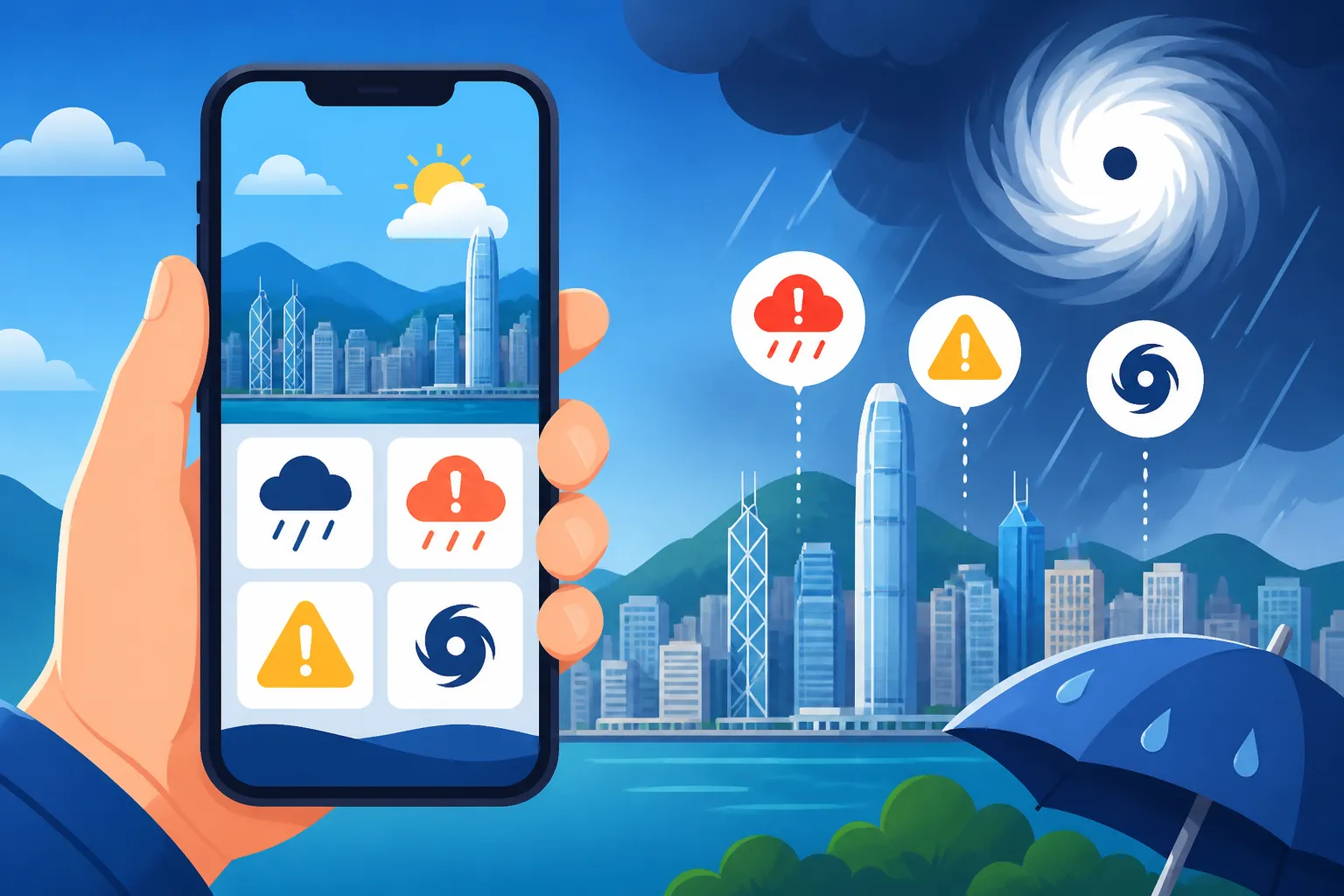
The HKO app, often referred to by locals simply as "the Observatory," is perhaps the most essential piece of software you will install on your phone after arriving. Unlike weather apps in Europe or North America that might give you a vague percentage of rain, the HKO app is a direct line to the government’s warning systems. When you first open the app, the interface can feel a bit cluttered with data, but for an expat living in a managed apartment like those provided by Blueground, understanding the "MyObservatory" section is the key to localized peace of mind.
The Home Screen and Current Signals
The most important part of the app is the very top of the home screen. This is where active "Signals" are displayed. In Hong Kong, weather isn't just about temperature; it’s about numbered signals. If you see a large, colored icon with a number like "3" or "8," the city is in a state of alert. Below this, you will find the temperature and humidity for your specific location. Because Hong Kong's topography is so varied—with steep mountains and coastal flats—the weather in Central can be vastly different from the weather in Sai Kung.
If you are staying in a co-living space through Habyt in a district like Mong Kok, the heat index might feel significantly higher than what the general "Hong Kong" temperature suggests due to the concrete canyon effect. The app allows you to toggle between different weather stations, which is vital for planning your commute or deciding if it’s a good day for Escaping the Crowds: Hiking Trails and Beaches on HK Island. You should always ensure that location services are enabled for the app so it can automatically switch to the nearest station.
Setting Up Push Notifications for Your District
The real power of the HKO app lies in its notification system. Most newcomers make the mistake of only looking at the app when they hear thunder. By then, it’s often too late to avoid a soaking. You need to go into the settings and customize your push notifications. I recommend turning on alerts for "Rainstorm Warning Signals," "Tropical Cyclone Warning Signals," and the "Location-specific Rain Forecast."
This last feature is a lifesaver. It uses radar data to tell you if rain is expected in your exact location within the next two hours. If you are in the middle of a move and your international movers from Sirelo are currently unloading your life's possessions onto a sidewalk, a 15-minute warning about an impending downpour can save your furniture from disaster. These notifications are generally very accurate, often giving you just enough time to find cover or duck into a mall. For those still finding their feet, this level of preparedness is a key part of the Essential Health Checklist for Your First 30 Days in Hong Kong.
Decoding the Typhoon Signal System for Newcomers
Typhoons (tropical cyclones) are a fact of life from May to November. The HKO uses a numbered system that dictates how the entire city operates. It is not just a suggestion; it affects your legal right to be at work and the availability of public transport. Understanding this is a major part of Natural Disasters in HK: Typhoon and Black Rainstorm Preparedness.
Signal 1 and 3: The Preparation Phase
A Standby Signal No. 1 means a typhoon is within 800km and might affect the city. At this stage, life goes on as usual, but you should keep an eye on the app. When it gets upgraded to a Strong Wind Signal No. 3, things get serious. Winds are expected to reach speeds of 41 to 62 km/h. At T3, kindergartens usually close, and some outdoor activities are canceled.
For expats, T3 is the time to secure your balcony. If you are living in a high-rise, the wind at the 40th floor is significantly stronger than at street level. Move your potted plants inside and check that your windows are tightly latched. This is also a good time to check the app’s "Track Projection" map, which shows the predicted path of the storm. If the line is heading straight for the Pearl River Delta, start thinking about your food supply.
Signal 8 and Above: The City Shutdown
When the No. 8 Northwest, Southwest, Northeast, or Southeast Gale or Storm Signal is issued, Hong Kong effectively closes. Schools, offices, and the courts shut down. The MTR usually stays running for a few hours but eventually moves to a limited, underground-only service. This is when you must be home. The HKO app will usually give a "Pre-no. 8 Special Announcement," providing a two-hour window before the signal is officially hoisted.
This two-hour window is legendary in Hong Kong for its chaos. Everyone leaves work at the same time. You will see massive queues for buses and taxis. If you can, leave the moment the "Pre-no. 8" appears on your app notifications. If you are caught out, remember that Catching a Taxi During a Typhoon Shift: Surcharges and Rules can be a nightmare, as many drivers stop working or charge "black market" rates. During a T8, T9, or T10, you should stay away from windows, as the pressure and flying debris can cause glass to shatter. If you have an emergency during this time, refer to our guide on Navigating Medical Emergencies During T8 Typhoons or Black Rainstorms.
Rainstorm Warnings and Their Real-World Impact
While typhoons get all the glory, rainstorm warnings are actually more frequent and can be just as disruptive to your daily life. Hong Kong’s rain is often torrential, leading to flash flooding and landslides due to the steep terrain. The HKO app uses a color-coded system to warn of heavy rain.
| Warning Level | Rainfall Rate | Practical Meaning |
|---|---|---|
| Amber | 30mm/hour | Heavy rain is falling. Expect traffic delays and wet feet. |
| Red | 50mm/hour | Serious rain. Schools often close. Stay indoors if possible. |
| Black | 70mm/hour | Total shutdown. Stay where you are. Do not travel. |
Amber, Red, and Black: More Than Just Colors
The Amber signal is a "be alert" sign. It often happens during the morning commute, and while the city keeps moving, the drainage systems will be working overtime. The Red signal is more severe; it means heavy rain is likely to continue and could cause serious traffic congestion. If a Red signal is issued before school starts, classes are usually canceled.
The Black Rainstorm Warning is the highest level. When this icon appears on your app, you should not go outside. If you are already at work or school, stay there until the storm passes. The sheer volume of water can turn streets into rivers in minutes. For those working in offices, it is worth checking Typhoons and Black Rainstorms: Are You Legally Required to Work? to understand your company's obligations and your safety rights.
The Dreaded Landslip and Special Announcement Alerts
Beyond the colors, the HKO app also issues specific warnings for "Landslips" and "Flooding in the Northern New Territories." If you live in a village house or near a steep slope, these alerts are critical. Landslips are a genuine threat in Hong Kong, and the Observatory monitors slope stability closely.
If you receive a landslip warning for your area, stay away from steep slopes and retaining walls. For those in modern developments managed by firms like Blueground, the risk is lower due to modern engineering, but it’s still worth being aware of the environment. If you are out and about, the app’s "Radar" feature is your best friend. You can see the rain clouds moving in real-time, allowing you to time your dash from the MTR station to your apartment between the heaviest bands of rain.
Practical Tips for Living with the HKO App
Living in Hong Kong requires a bit of weather-related stoicism. You will get wet, and you will have plans canceled. However, using the HKO app effectively can minimize the frustration.
Managing Daily Commutes and Outdoor Plans
Before you leave your apartment in the morning, check the "9-Day Forecast" on the app. It gives you a "Probability of Significant Rain" (PSR) rating. If the PSR is "High," bring an umbrella even if it's sunny when you look out the window. The humidity levels are also displayed, which is a key indicator for how you should dress. High humidity combined with high heat can lead to heatstroke, especially if you are not used to the subtropical climate.
If you are planning a trip to a public facility, remember that weather warnings can change access. For example, check Public Hospital Visiting Hours: What You Need to Know Before Going if there is a storm brewing, as visitor policies might shift during a T8. Similarly, schools have very specific protocols that are triggered by the app's data, as detailed in Weather Warnings and School Closures: T8 and Red Rainstorm Rules.
Integrating Weather Data into Your Home Life
The weather also dictates how you manage your home. High humidity isn't just uncomfortable; it leads to mold. The HKO app’s humidity readings will tell you when to crank up your dehumidifiers. If the app consistently shows humidity above 80%, you should be running your machines 24/7. This is a common pain point for expats, and we have deep dives on Dealing with Humidity and Mold in Your Apartment and a guide for Buying Dehumidifiers and Air Purifiers for HK Weather to help you cope.
If you are living in a Habyt co-living space, you might share these responsibilities with roommates, but having the app keeps you informed so you don't accidentally leave a window open during a sudden "Squally Thunderstorm." Finally, if you are planning a move or large delivery, always consult the "Extended Outlook." While less certain, it gives you a "probability of strike" for tropical cyclones up to two weeks in advance. Coordinating with Sirelo for your shipping arrival becomes much easier when you can see a potential typhoon window forming on the horizon.
Disclaimer
The information provided in this guide is for general informational purposes only and does not constitute legal, safety, or professional advice. Weather conditions in Hong Kong can change rapidly and unpredictably. Always follow the official instructions and warnings issued by the Hong Kong Observatory and the Hong Kong Government via their official channels, radio, and television broadcasts. Neither the author nor this website is responsible for any loss, injury, or damage resulting from the use of the HKO app or the interpretation of weather signals.