Using the Octopus Card at 7-Eleven and Supermarkets
You have just landed at Hong Kong International Airport, and the sheer speed of the city is already hitting you. Between navigating the humidity and finding your way to a new apartment provided by Blueground, the last thing you want is to be the person fumbling with unfamiliar coins at a 7-Eleven register. This guide solves the "small change" headache by teaching you how to master the Octopus card for every retail transaction, from a quick coffee to a full grocery haul.
Understanding the Octopus Ecosystem in Hong Kong Retail
When I first moved here, I made the classic rookie mistake of trying to pay for a bottle of water at a 7-Eleven with a 500-dollar note. The cashier gave me a look that I can only describe as "deeply unimpressed," and I ended up with a pocket full of heavy coins that I didn’t know how to use. That was the day I realized that in Hong Kong, your Octopus card is not just a transit pass; it is the lifeblood of the city's micro-economy. It predates Apple Pay and Google Pay by decades, and it remains the fastest way to pay for almost anything under 1,000 HKD.
The technology is incredibly robust. You don’t need to wake up your phone or even take the card out of your wallet if you have it positioned correctly. This is particularly useful when you are juggling bags during a move, perhaps coordinated by Sirelo, and you just need to grab a quick energy drink. The "beep" you hear at the terminal is the sound of a successful transaction, and it is a sound you will hear thousands of times during your stay. Understanding The Octopus Card: Hong Kong's Essential Transport & Payment Tool is the first step toward feeling like a local rather than a tourist.
The retail ecosystem is built around speed. In places like Central or Tsim Sha Tsui, the queues move at a pace that can be intimidating. If you are staying in a co-living space like Habyt, you will likely notice that your roommates never carry cash. They rely entirely on their Octopus for daily essentials. This is because the card is accepted at virtually every convenience store, supermarket, pharmacy, and even many vending machines and parking meters across the territory.
Why the Octopus Card is More Than Just a Transport Pass
While the Octopus started as a way to ride the MTR, its expansion into retail changed the way Hong Kongers live. It is a stored-value smart card that uses near-field communication (NFC). In a retail setting, this means you never have to worry about a "minimum spend" like you might with a credit card at a small shop. Whether you are buying a single piece of chewing gum or a week's worth of supplies, the Octopus is always a valid option.
For expats, the card provides a sense of security. You don’t have to flash a wallet full of cash in crowded areas. More importantly, it helps with Everyday Budgeting in HK: Cost of Living Benchmarks (2026) because you can track your spending through the Octopus App. I personally found that using my card for small retail purchases helped me keep a much tighter lid on my "miscellaneous" spending, which can easily spiral out of control in a city as convenient as this one.
The Psychology of the "Beep": Hong Kong's Fast-Paced Retail Culture
There is an unspoken etiquette when using your Octopus card at a retail counter. You should have your card or phone ready before you reach the front of the line. The cashiers are trained for maximum throughput; they will scan your items, announce the total, and expect you to tap immediately. If you are fumbling in your bag while a line of ten people waits behind you, the pressure can be intense.
If you are using a physical card, you can often just tap your whole wallet against the reader. The readers are powerful enough to pick up the signal through leather or fabric, provided you don't have other NFC cards (like credit cards) interfering with it. If you have "card clash," the reader will emit a multi-tone error sound. Simply separate the cards and try again. This efficiency is why Buying the Standard, Tourist, or Mobile Octopus Card is usually the first item on any expat’s to-do list.
Using Your Octopus at 7-Eleven and Circle K
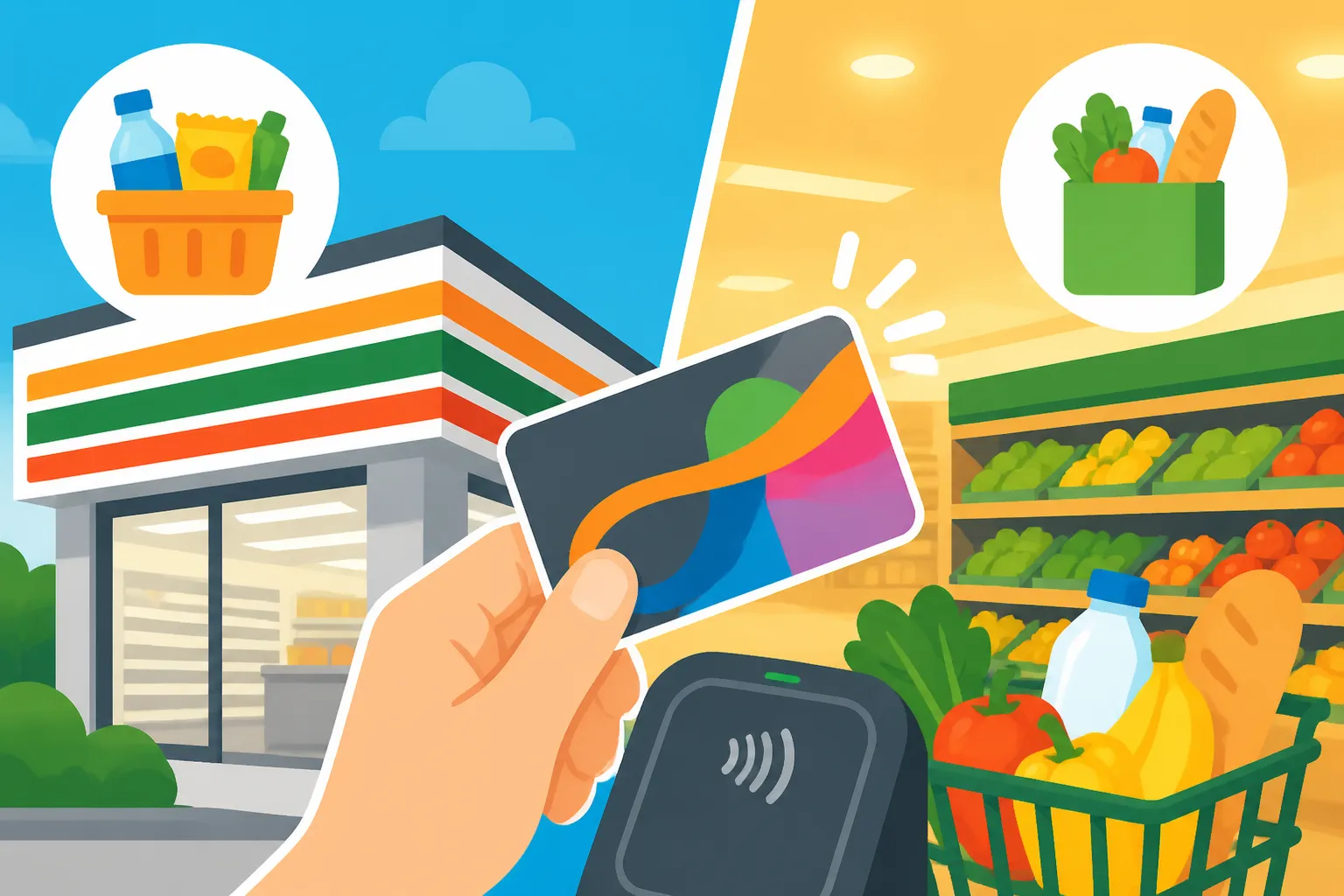
Convenience stores in Hong Kong, primarily 7-Eleven and Circle K (locally known as "OK"), are much more than just places to buy snacks. They are multi-functional service hubs where you can pay utility bills, pick up internet orders, and even withdraw cash. Using your Octopus card here is a seamless experience. You simply wait for the cashier to scan your items, and when the total appears on the small customer-facing screen, you tap your card on the bright yellow reader.
I remember my first summer here—the heat was so intense I found myself ducking into a 7-Eleven every twenty minutes just for the air conditioning and a cold drink. Being able to tap and go meant I could get back out into the city without missing a beat. If you are navigating the city for the first time, perhaps checking out potential neighborhoods while staying in a Blueground apartment, these convenience stores will be your primary landmarks for quick refills and emergency supplies.
Small Purchases and Convenience Store Basics
At 7-Eleven, you can use your Octopus for everything from a 10 HKD newspaper to a 100 HKD mobile SIM card. One of the best "hacks" for newcomers is using the Octopus to pay for services. Did you know you can pay your electricity or water bill at the 7-Eleven counter? You just present the bill's barcode to the cashier and tap your card. It saves you the hassle of setting up complex online banking transfers during your first few weeks.
Another scenario is the "negative balance" feature. Most on-loan Octopus cards allow you to go into a negative balance once, up to 35 or 50 HKD depending on the card type. If you are at a Circle K and your total is 25 HKD but you only have 5 HKD on the card, the transaction will still go through. The reader will give a warning "warning beep," and you will need to top up before you can use the card again. This has saved me more times than I can count when I was just a few dollars short for a late-night snack.
Topping Up and Cash Withdrawals (EPS)
While you can pay with Octopus, these stores are also the most common places for Topping Up Your Octopus Card: Cash, App, and Credit Card Auto-Add. You simply tell the cashier "Top up, please" (or "Tsang jik" in Cantonese) and hand over your cash. The minimum top-up at these stores is usually 50 HKD. This is the most reliable way to ensure you always have funds for Public Transport in HK: MTR, Trams, Buses, and Ferries.
Interestingly, Circle K and 7-Eleven also offer a service called "Easy Cash" via EPS, but this is different from Octopus. However, you can use your Octopus card to receive "public transport fare subsidies" at the blue machines located inside many of these stores. If you spend a certain amount on commuting each month, the government gives you a percentage back. Tapping your card at the designated machine in a 7-Eleven is the easiest way to collect this free money.
Master Grocery Shopping at Wellcome, ParknShop, and Beyond
When it comes to the weekly grocery haul, the Octopus card remains a dominant payment method. Major chains like Wellcome, ParknShop, Fusion, and Market Place all have prominent Octopus readers at every checkout lane, including the self-service kiosks. If you have just finished Renting in Hong Kong: Apartments, Leases, and Tenant Rights and are finally stocking your kitchen, your Octopus card will be your best friend.
One thing to keep in mind is the transaction limit. Standard Octopus cards generally have a storage limit of 3,000 HKD. While this is plenty for most, a massive grocery spree at a premium supermarket like City'Super or Great Food Hall could theoretically approach the limit if you are buying high-end imports. In these cases, you can still use the Octopus for a portion of the bill and pay the rest with a credit card or cash.
Bulk Buying and Transaction Limits
If you are shopping for a family, you will quickly learn the nuances of Grocery Budgeting: Wellcome and ParknShop vs Premium Supermarkets. At the larger "Superstores," you might find yourself with a cart worth 800 HKD. Tapping your Octopus for this amount is perfectly fine. The system is designed to handle high-value retail transactions just as easily as a 5 HKD bus fare.
However, be aware of the "Automatic Add Value Service" (AAVS) limits. If you have linked your card to your credit card, it will usually top up by 250 or 500 HKD when the balance hits zero. If your grocery bill is 600 HKD and your balance is only 100 HKD, the card will trigger an auto-top-up during the transaction. This is incredibly convenient as it prevents the transaction from failing at the register. It’s one less thing to worry about when you’re busy organizing your new life with the help of Sirelo.
Integrating Rewards Programs with Octopus Payments
One of the most powerful features of using an Octopus card at supermarkets is the integration with local rewards programs like yuu or MoneyBack. At Wellcome or Market Place, you can often link your yuu ID to your Octopus card. This means that when you tap to pay, you are simultaneously earning points without having to scan a separate membership card or app.
I’ve found that these points add up surprisingly fast. Over a year of buying milk, bread, and household essentials, I’ve earned enough points to redeem several 50 HKD vouchers. For an expat trying to manage the high cost of living, these small wins are important. It’s a level of integration that makes the Hong Kong retail experience feel years ahead of many Western countries. Even if you are just in town for a few months in a Habyt residence, it is worth setting up these links for the immediate discounts.
| Feature | Standard On-Loan Card | Tourist Octopus (Sold) | Mobile Octopus (Apple/Huawei) |
|---|---|---|---|
| Deposit Required | 50 HKD (Refundable) | None | None |
| Initial Store Value | 0 HKD | Usually 100 HKD | 0 HKD |
| Top-up Locations | All Retail & MTR | All Retail & MTR | App, Credit Card, Retail |
| Negative Balance | Up to 35-50 HKD | Limited | Up to 35-50 HKD |
| Best For | Long-term Residents | Short-term Visitors | Tech-savvy Expats |
Managing Your Octopus Balance and Digital Integration
The days of carrying a plastic card are slowly fading. Most expats now prefer the convenience of the Mobile Octopus. Whether you are using an iPhone, an Apple Watch, or a Samsung device, you can transfer your physical card's balance to your phone. This is a game-changer for retail shopping. No more digging through your pockets at the 7-Eleven counter; you just hold your phone near the reader.
The transition to digital is usually smooth, but there are a few things to watch out for. Once you transfer a physical card to your phone, the plastic card becomes a useless piece of scrap. If you are moving frequently between different districts—perhaps exploring the vibe of Kennedy Town while staying in a Blueground flat—having your Octopus on your watch or phone ensures you never leave home without it.
Moving to the Mobile Octopus: Apple Pay and Huawei Pay
The process of Adding the Digital Octopus Card to Your Apple Wallet is straightforward. You can either issue a new digital card or "suck" the data from your existing physical card into the app. The retail experience is identical, but with the added benefit that you can see your remaining balance instantly on your screen after every "beep."
In a supermarket setting, the mobile Octopus is even more useful. If you find yourself at the register and realize you don’t have enough funds, you can top up your card instantly via the Octopus App using a linked credit card or the Faster Payment System (FPS). You don’t have to leave the line or ask the cashier to wait while you find a top-up machine. This real-time management is a lifesaver when you’re in a rush.
What to Do When the "Beep" Fails: Troubleshooting Retail Errors
Occasionally, a transaction might fail. This usually happens for one of three reasons: insufficient balance, card clash, or a hardware error at the terminal. If the reader makes a sharp, repeated buzzing sound, don't panic. The cashier will usually point to the screen showing the error code. Most of the time, it’s just a matter of tapping again or realizing you’ve hit your negative balance limit.
If you believe your card is malfunctioning, you can take it to any MTR Customer Service Centre for a free check. If the card is physically damaged (bent or cracked), you might have to pay a replacement fee. However, if you lose your card and it is a "Personalized Octopus" (one with your name and photo), you can report it lost and have the remaining balance transferred to a new card. This is why it is wise to get a personalized card if you plan to stay for more than a few months. For those just starting their journey, following an Essential Health Checklist for Your First 30 Days in Hong Kong should include securing and registering your Octopus card.
If you ever decide to leave the city, knowing How to Refund Your Octopus Card Deposit at the Airport is essential. You can get your 50 HKD deposit and any remaining balance back in cash, which is a nice little "bonus" for your final duty-free shopping spree before your flight.
Disclaimer
The information provided in this guide is for general informational purposes only and reflects the local retail environment in Hong Kong as of 2026. While we strive to provide accurate and up-to-date details regarding Octopus card usage and retail policies, these are subject to change by Octopus Cards Limited and individual retailers. This guide does not constitute financial or legal advice. Always verify current fees, limits, and terms of service directly with the official Octopus website or at MTR service points.